
FAQs
What is the correct Gemini (GEM-series) control panel charging voltage?
On any Gemini (GEM-series) control panel, set your meter to read DC voltage, disconnect the battery leads and, observing polarity, measure the charging voltage as shown in the image below. The reading should be a little below 14VDC.
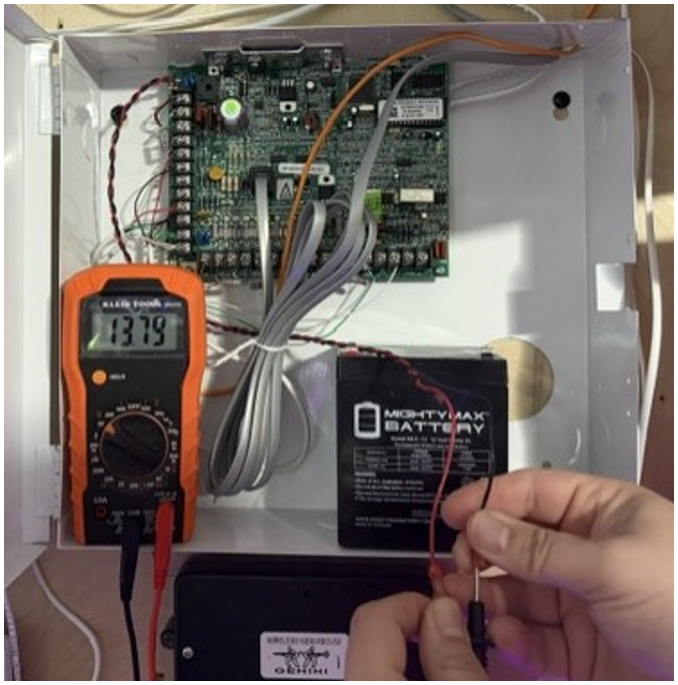
If the reading is below 12VDC, the control panel could be overloaded with powered devices (e.g., an RECV receiver, EZM, keypads, a StarLink communicator, etc.); consider an external power supply for the majority of your devices. Be sure to observe polarity when reconnecting the battery leads.
Since your meter is at hand, take a moment to check the control panel AC input. Placing the probes on the control panel terminals as shown in the image below (observing polarity), the reading should be in the 17VAC range.
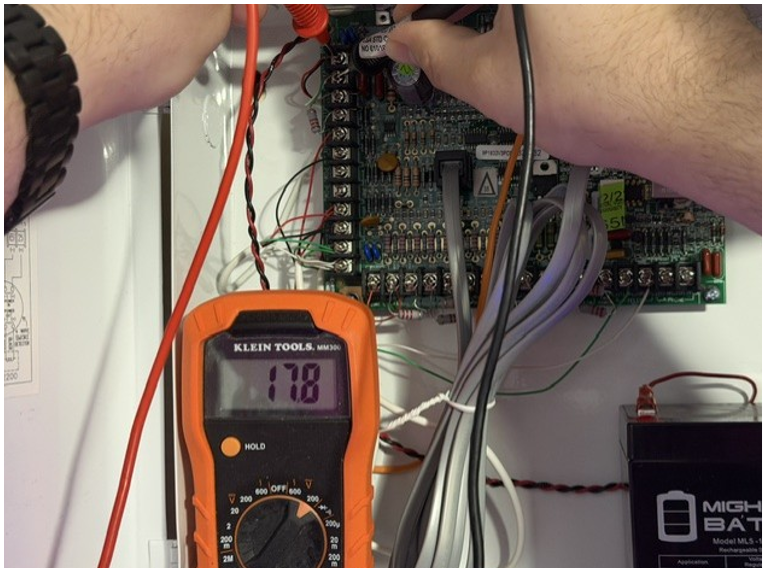
If all this checks out, you could have an issue with your charging circuit. Please call Technical Support.