FAQs
Can I change the "System Ready" message on my GEM-RP8LCD keypad?
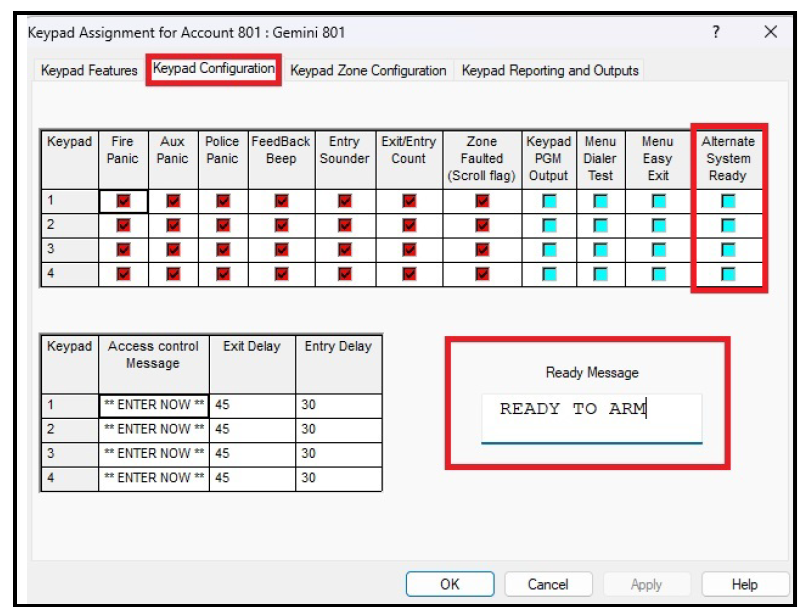
Yes, PCD-Windows Quickloader software allows you to change the "System Ready" message that appears on the GEM-RP8LCD keypad display when this keypad is connected to the GEM-P801 control panel (note that this option is not available with the GEM-P800 control panel). To change the "System Ready" keypad message:
- In PCD-Windows Quickloader, open Keypad Assignment > Keypad Configuration.
- In the Alternate System Ready column, add a check for each keypad message you wish to change.
- Select OK.
Note: The message can be customized (limited to 32 characters) using the Ready Message field: