FAQs
How do I program an automated unlock schedule for the Access Control Module (ACM) on a Gemini C-Series (GEMC) control panel?
To successfully implement an automated unlock schedule for the Access Control Module (ACM) on a Gemini C-Series (GEMC) control panel, a physical hardware expansion board must be used. Unlike stand-alone Gemini Residential or light-Commercial intrusion control panels, the Commercial Fire/Burg GEMC platform does not support virtual relays for executing these schedules. Important Requirement: You must install a GEMC-OUT8 or a GEM-RB3008 relay board (the Gemini intrusion control panels do not require this hardware).
To program:
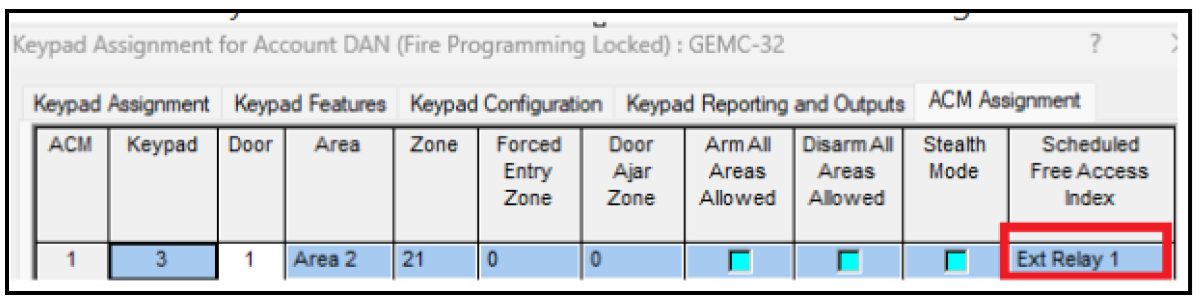
- In the Keypad Assignment screen, ACM Assignment tab, add an Ext Relay 1 in the Scheduled Free Access column:
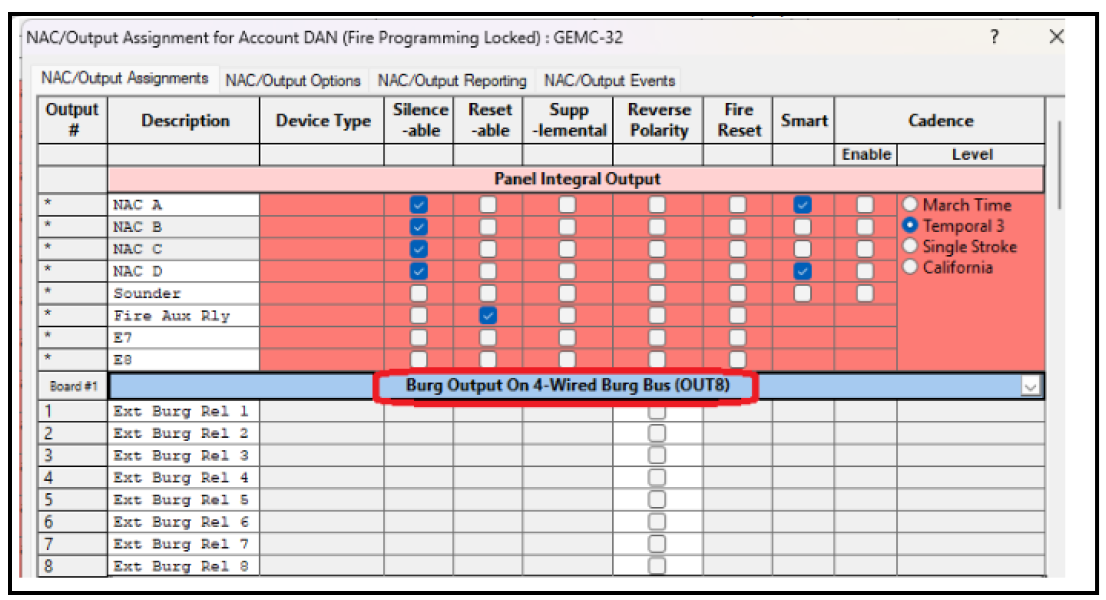
- Program the GEMC-RM3008 or GEMC-RB3008 relay board in the NAC/Output Assignments
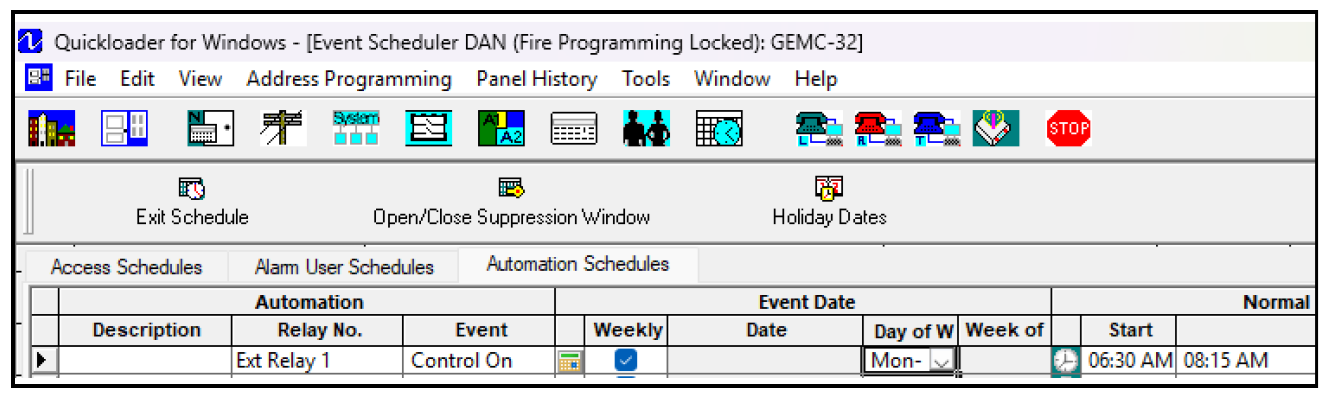
- In the Schedule Assignment screen, program the Access schedule in the Automation Schedules tab.