
FAQs
How do I program PCD-Windows Quickloader software to unlock an Access Control Module (ACM) door with a wireless GEM-KEYF Keyfob Transmitter or GEM-WP Panic Transmitter?
Program PCD-Windows Quickloader software as follows:
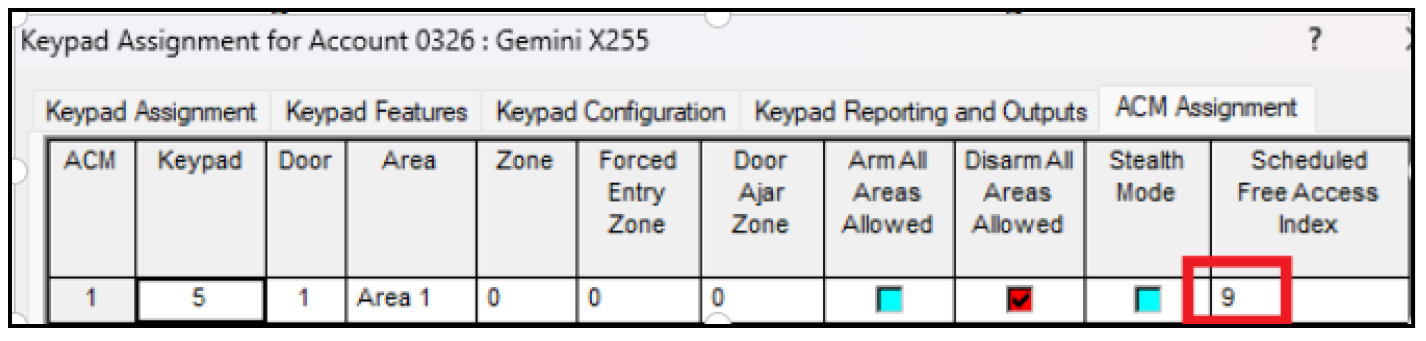
- Open the Keypad Assignment screen, ACM Assignment For the door to be unlocked, assign a number in the Scheduled Free Access Index field. This will act as a "virtual relay".
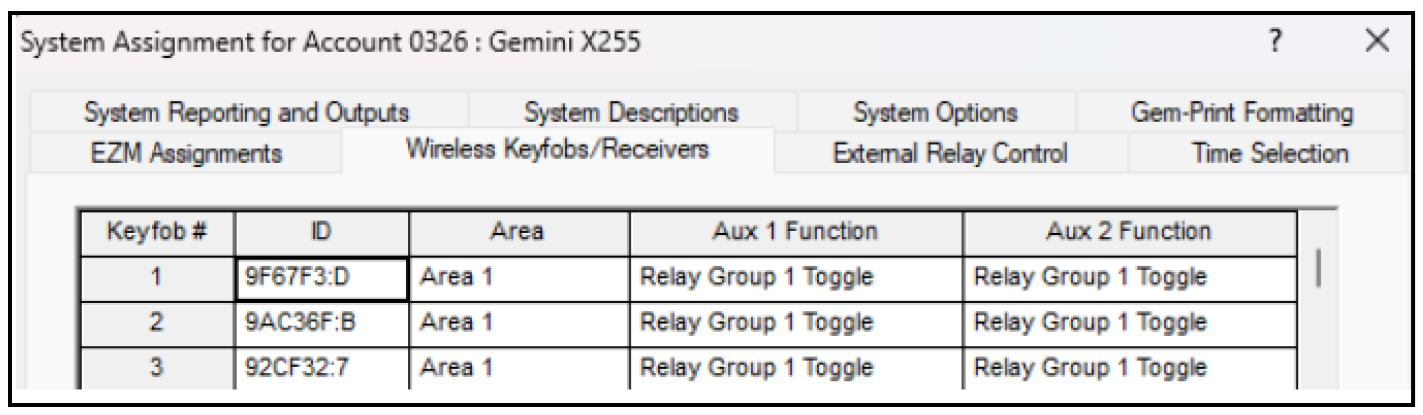
- Open the System Assignment screen, Wireless Keyfobs/Receivers Enable Aux 1 Function or Aux 2 Function as Relay Group 1 Toggle, enter the RF ID in the ID field and select an Area:
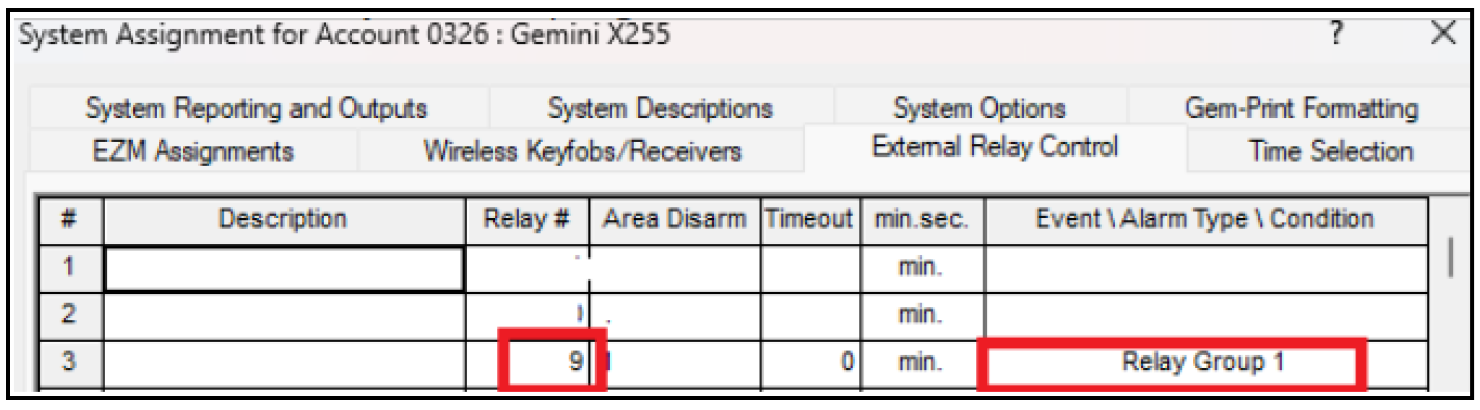
- In the System Assignment screen, External Relay Control tab, enter the number previously entered for the "Scheduled Free Access Index" in step 1 into the Relay # field and enable Relay Group 1 in the Event \ Alarm Type \ Condition column:
Upload the changes to the control panel and test.