
FAQs
How do I map a GEM-WP single-button emergency pendant transmitter to a zone, and why is it important that I do so?
The GEM-WP is a single-button emergency pendant transmitter designed for portability but can also be used as a stationary panic button. To ensure the system correctly identifies the user who pressed the panic button (using Contact ID) and monitors the health of the battery that powers the transmitter, the GEM-WP must be mapped directly to a zone:
1. Enter the 6-digit ID code (printed on the GEM-WP label) into a dedicated Zone Address.

2. Program the transmitter point as Point 3.
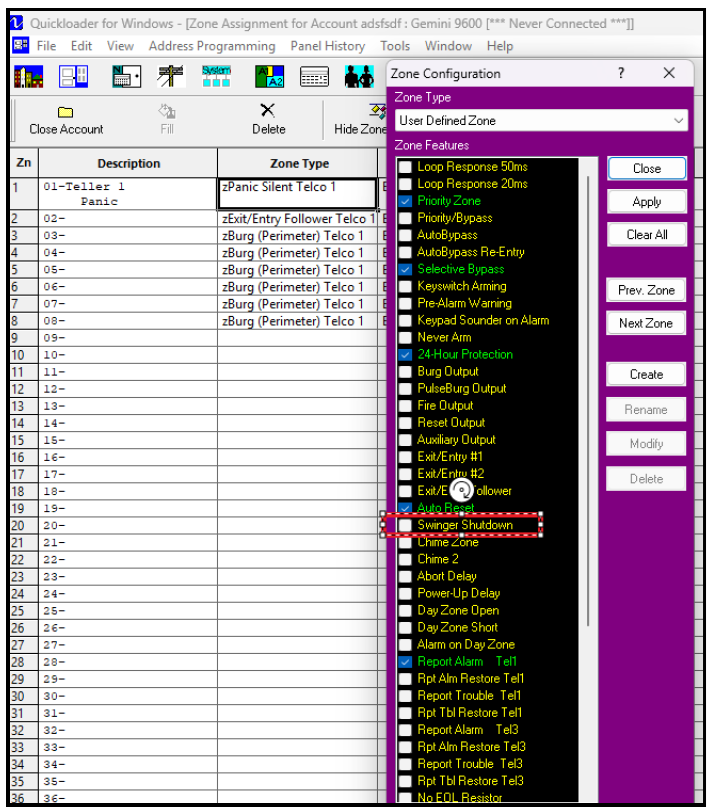
3. Enable 24-Hour Protection for this zone and deselect Swinger Shutdown to ensure every press and supervisory signal is recognized by the control panel.
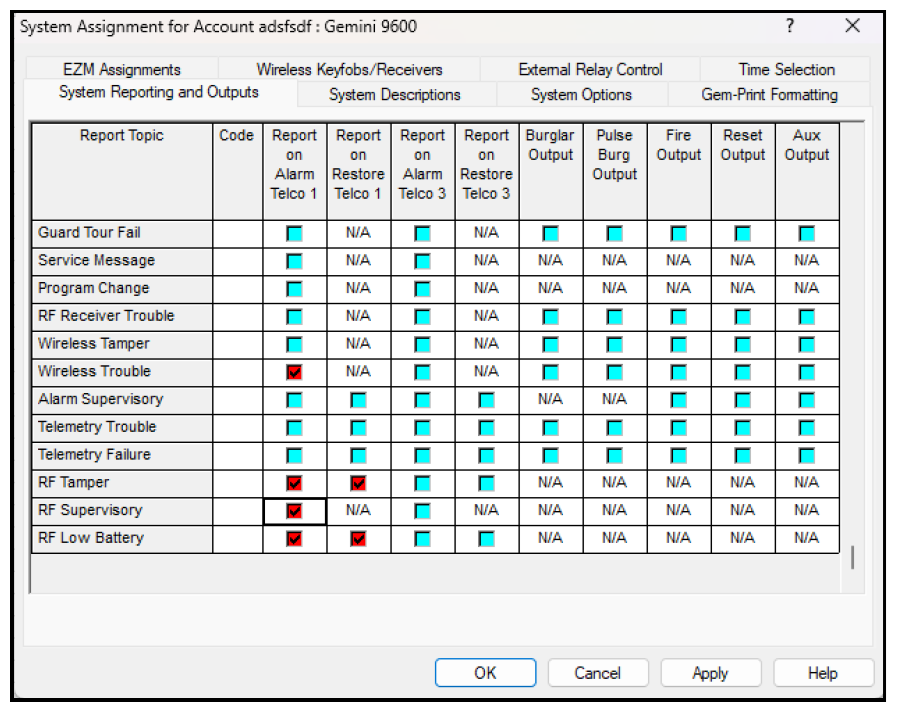
4. Assign appropriate reporting codes for Low Battery and wireless trouble in the System Assignment > System Reporting and Outputs tab to notify the central station of hardware issues. Note: The GEM-WP will only send a low battery trouble not an RF supervisory or RF tamper.
Supervision & Battery Life
- GEM-WP (Non-Supervised): The GEM-WP only tests its battery when the button is pressed. If the battery is low, the LED pulses every 1.5 seconds
- The "Point 3" Rule: As this is a Point 3 device, it has no periodic "heartbeat" so the user (customer) can take the pendant off-site without the system keypad beeping with an E04-NN Supervisory Failure
Stationary Panic Option: GEM-TRANS2
For fixed-mount applications (e.g., hidden under a desk) that require True 24-Hour Supervision, use a GEM-TRANS2 wired to a hardwired panic button.
- Periodic Check-in: Unlike the GEM-WP, the GEM-TRANS2 sends a regular heartbeat to the receiver
- Supervisory Trouble: If the GEM-TRANS2 fails to check in, is moved, or the battery dies, the control panel will immediately trigger an E04-NN RF Supervisory trouble