FAQs
Can I use any of the GEMC control panel zones (1-8) if there is a GEMC-F8ZCPIM Conventional 8 Fire Zone Expander Plug in Module ("FIM module") installed for conventional zones?
No, the control panel may utilize zones 1-8 on the FIM module or in the SLC loop, but not both, as the control panel will be unable to determine where the zone is located. With FireLink control panels, there are 2 options:
- Option 1: Start all SLC zones at zone 9 (and greater)
- Option 2: Disable the FIM module and remove it from the system. For the radio supervisory zone add a FWC-FSLC-EZM1B Miniature Response Contact Monitoring Module
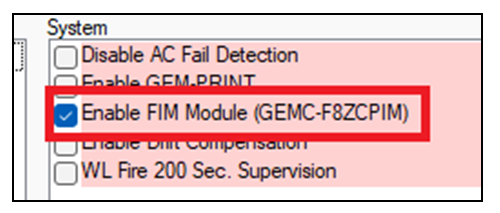
To use PCD-Windows Quickloader software to disable the FIM module, select System Assignment > System Options and uncheck Enable FIM Module (GEMC-F8ZCPIM):
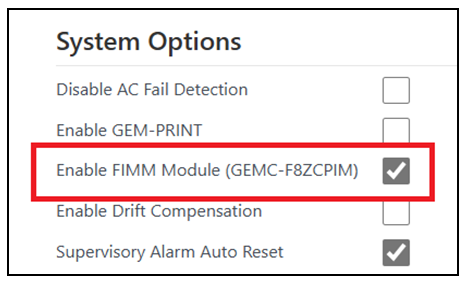
To use the FireLink Cloud to disable the FIM module, select Digital/Dialing Options And System Options and uncheck Enable FIMM Module (GEMC-F8ZCPIM):