
FAQs
How do I enable the Fire Aux Relay to trigger when there is a fire alarm or trouble?
Program for dry contact to change state when a fire alarm or a panel trouble condition occurs. The following is for an additional annunciation panel (not a keypad):
- Open the FireLink Cloud programming website (www.firelinkpro.com).
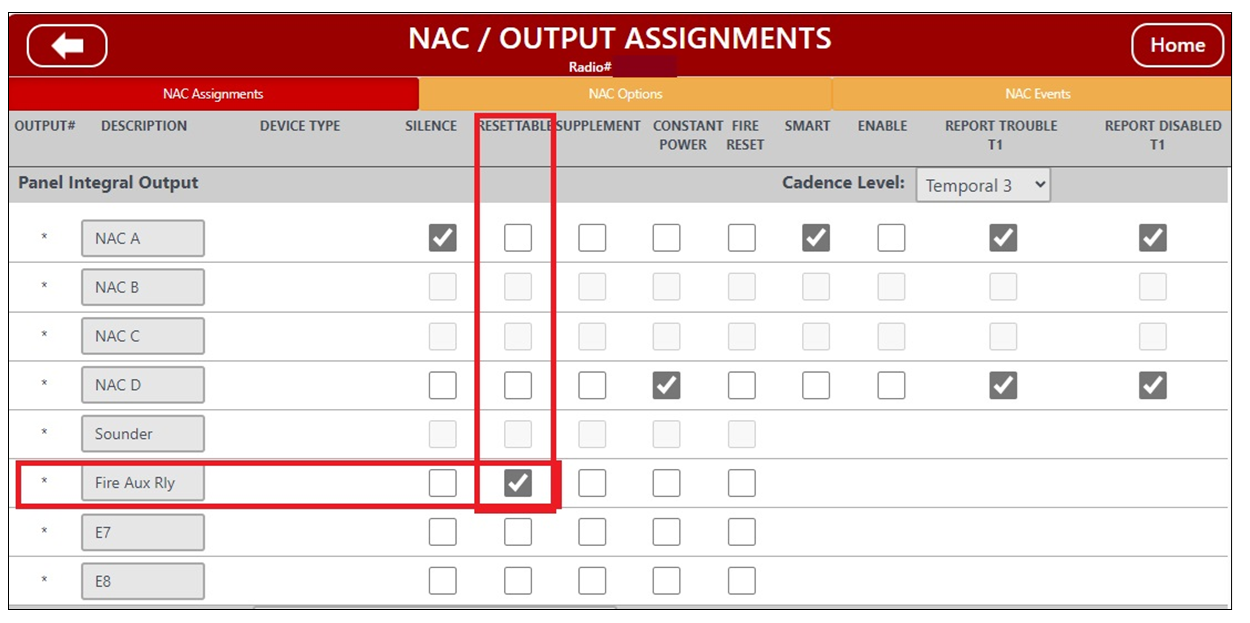
- Select NAC/Output Options > NAC Assignments
- For the Fire Aux Relay, add a check to RESETTABLE.
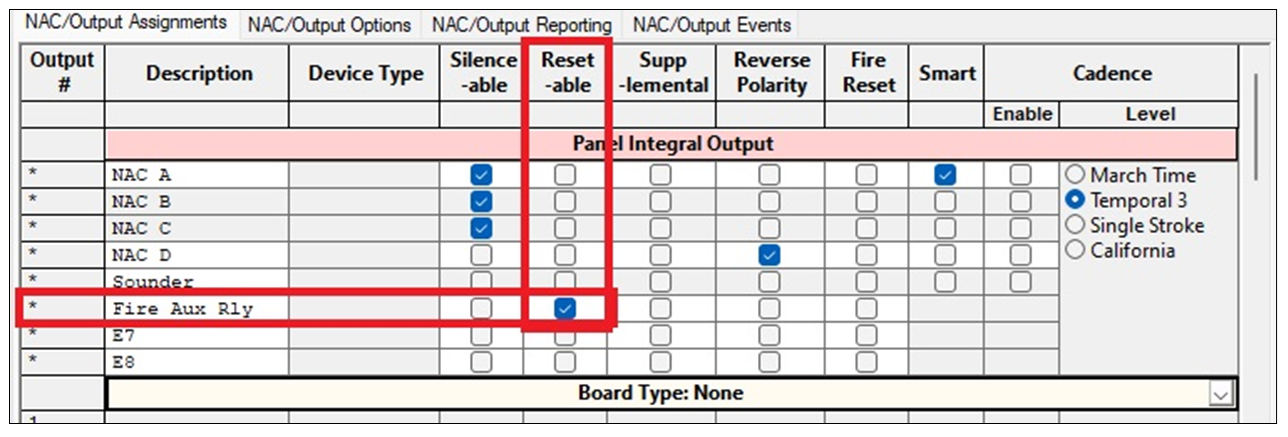
In the PCD-Windows Quickloader software NAC/Output Assignments screen:
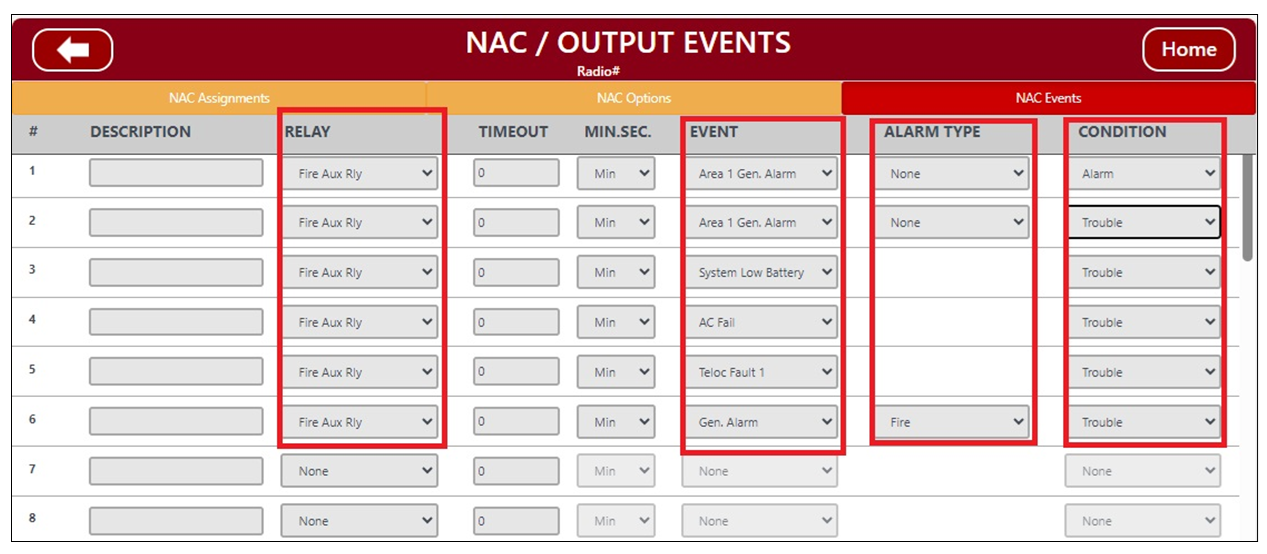
- In the FireLink Cloud programming website, open the NAC / Output Events screen, NAC Events tab. Program the Fire Aux Relay for Area 1 Gen Alarm, Fire, Alarms and for troubles as shown in the image below; add any others that your control panel may have (the image does not display a complete list as your control panel may have additional features enabled).
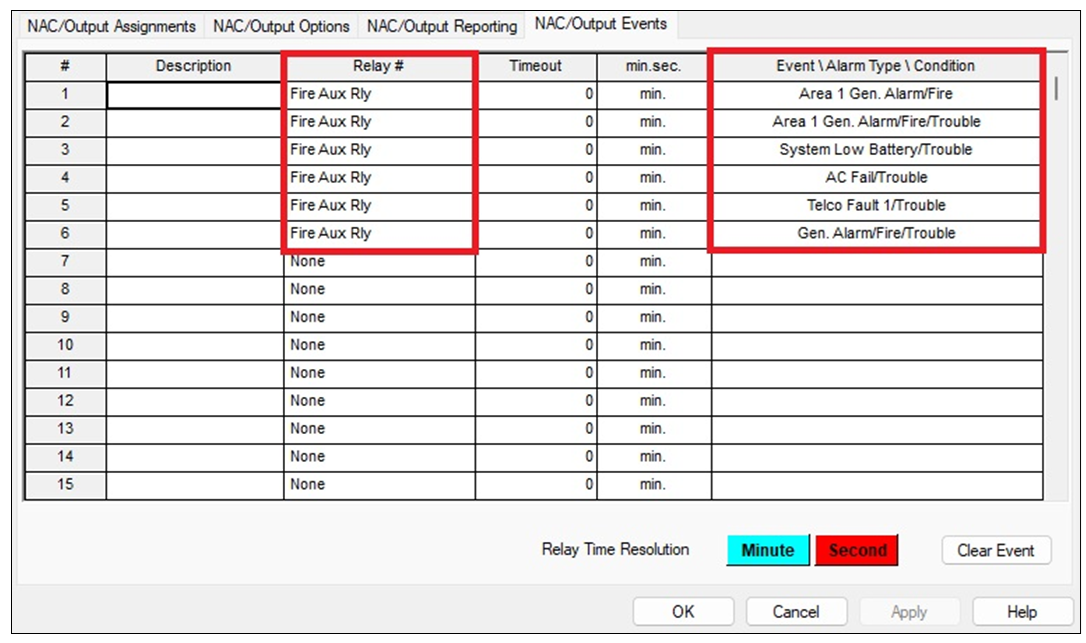
As shown in PCD-Windows Quickloader software (NAC/Output Events tab):
- Note: The Fire Aux Relay on the Gemini C-Series panels (including Firewolf and FireLink) are terminals 10, 11, & 12. Remove the J300 shunt to make the Fire Aux Relay a dry contact, and connect to your COM and N/O terminals (10 & 12).
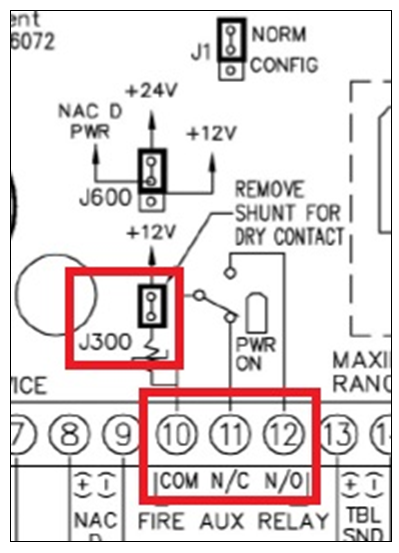
When any of the programmed events occur, the Fire Aux Relay will change state and close.
- Test the system and verify the Fire Aux Relay is changing states as intended.