FAQs
How do I print an 'AHJ Status Form' for fire devices on the SLC loop?
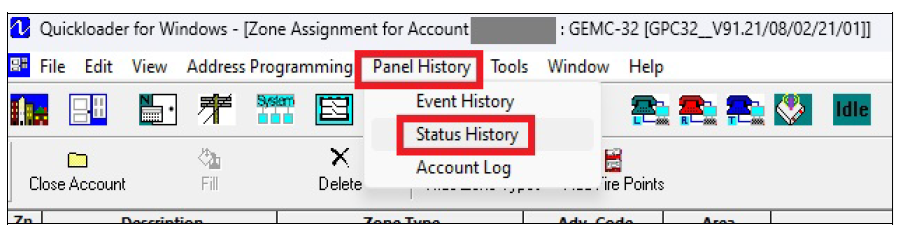
In PCD-Windows Quickloader software, select Panel History > Status History.
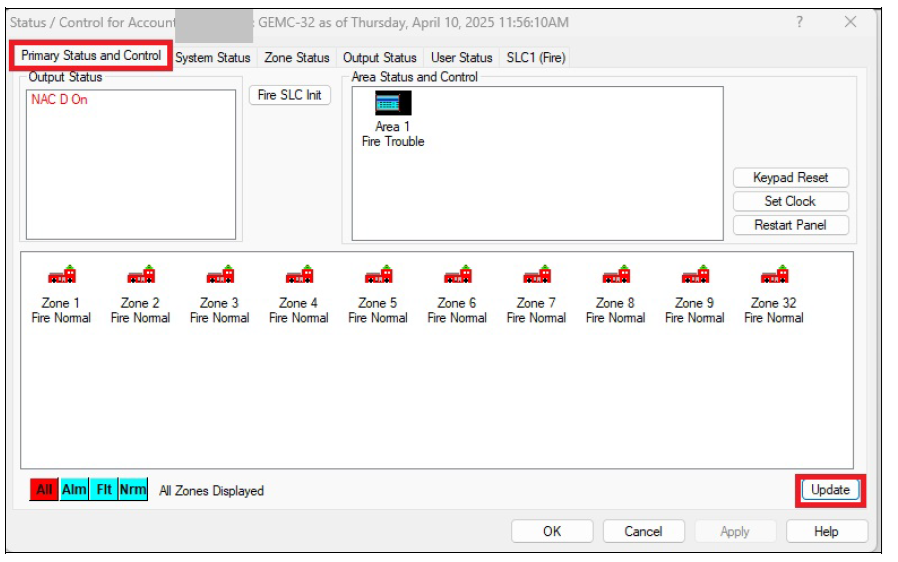
The Status/Control screen opens with the Primary Status and Control tab selected. Select Update at the lower right to update the current panel status.
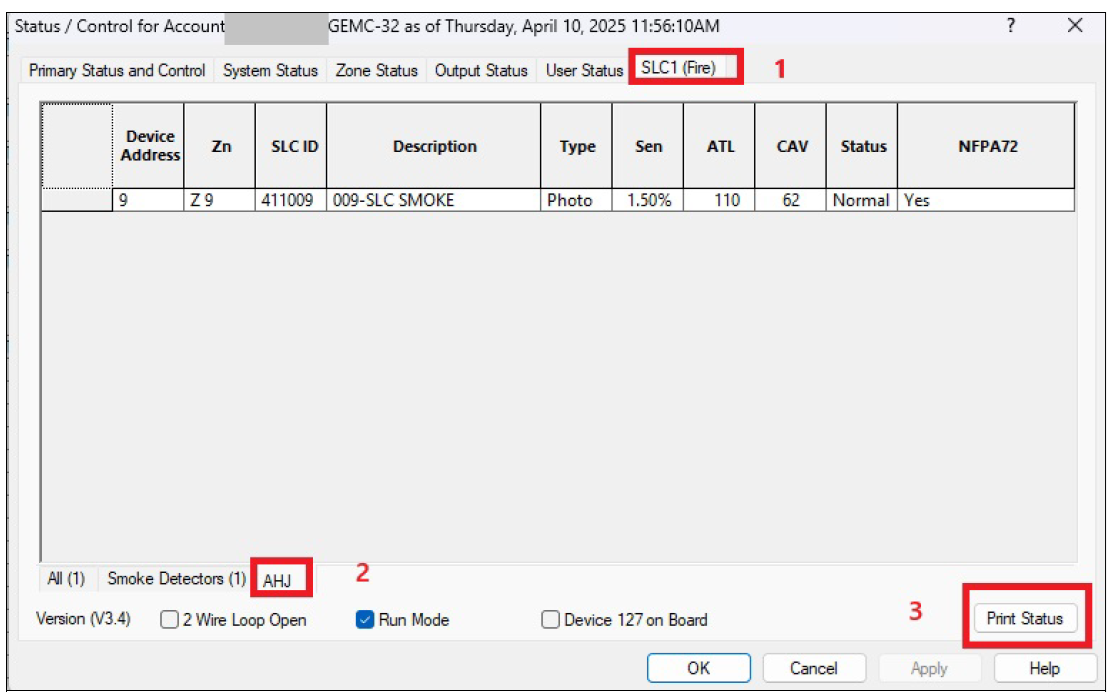
After the update, select the SLC1 (Fire) tab, and the AHJ tab at the lower left. Select Print Status, select your printer and print a copy.
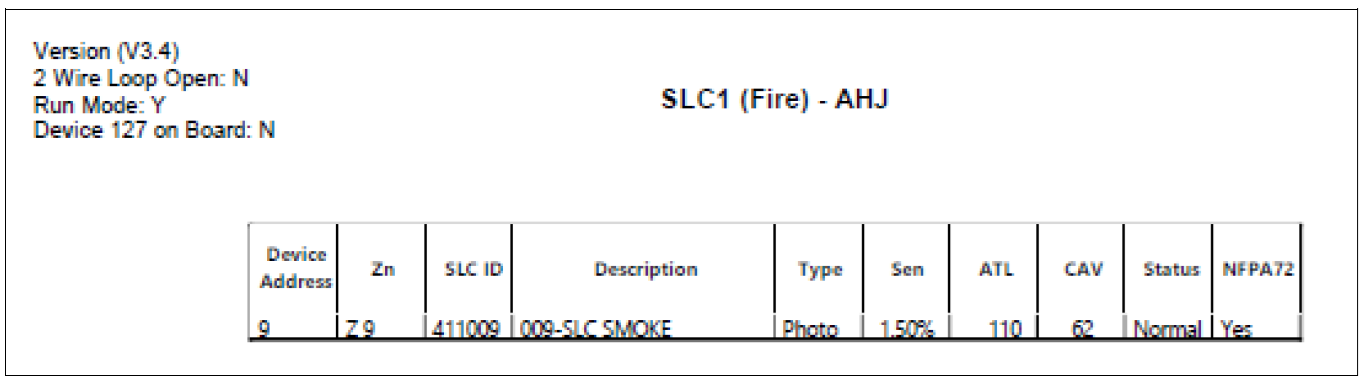
The 'AHJ Status Form' will look like this: