
Skip to main navigation Skip to main content Skip to footer
Napco Technical Library Napco Technical Library
  • Home
  • Technical Library
    • NAPCO
    • Alarm Lock & Marks USA
    • Napco Access Pro
  • Software Downloads
    • NAPCO
    • Alarm Lock & Marks USA
    • Napco Access Pro
  • Training
    • NAPCO
    • Alarm Lock & Marks USA
    • Napco Access Pro
  • Social
  • Log In
  • |
  • Register
Home > Napco Access Pro > Installation Manuals 📘 > CA4K iLock for Continental App Installation Guide (For use with Bluetooth Mobile Credentials)

Related Documents

  • CA4K Access Mobile Manager App Installation and User Guide
  • How to Setup and Install CA4K Manager App
  • How to Setup and Add/Send a Bluetooth Mobile Credential with CA4K and iLock for Continental Mobile App?
  • iLock for Air Access App Installation Guide (For use with Bluetooth Mobile Credentials)
  • iLock for MVP Access Installation Guide

Tags

ArchiTech CA3000 DL-Windows FireLink GEM-P1632 GEM-P1664 GEM-P3200 GEM-P816 GEM-P9600 GEM-RP1CAe2 GEM-X255 GEMC IBR-ZREMOTE Networx PCD-Windows Prima Quickloader SLe-GSM StarLink StarLink Connect Trilogy cardaccess 3000 iBridge iSeeVideo mvp access

CA4K iLock for Continental App Installation Guide (For use with Bluetooth Mobile Credentials)


Document Type: Installation Manuals 📘
Product Type: CA4K Mobile Apps (iLock / CA4K Mgr App)
Publication Date: 1/30/26 | File Size: 5.7MB

File Name: iLock for Continental-Bluetooth Mobile Credentials_WI2530ALF.09_INST.pdf
Tags: bluetooth , bluetooth mobile , ca4k access app , ca4k app , CA4K mobile App , iLock , wi2530


Description

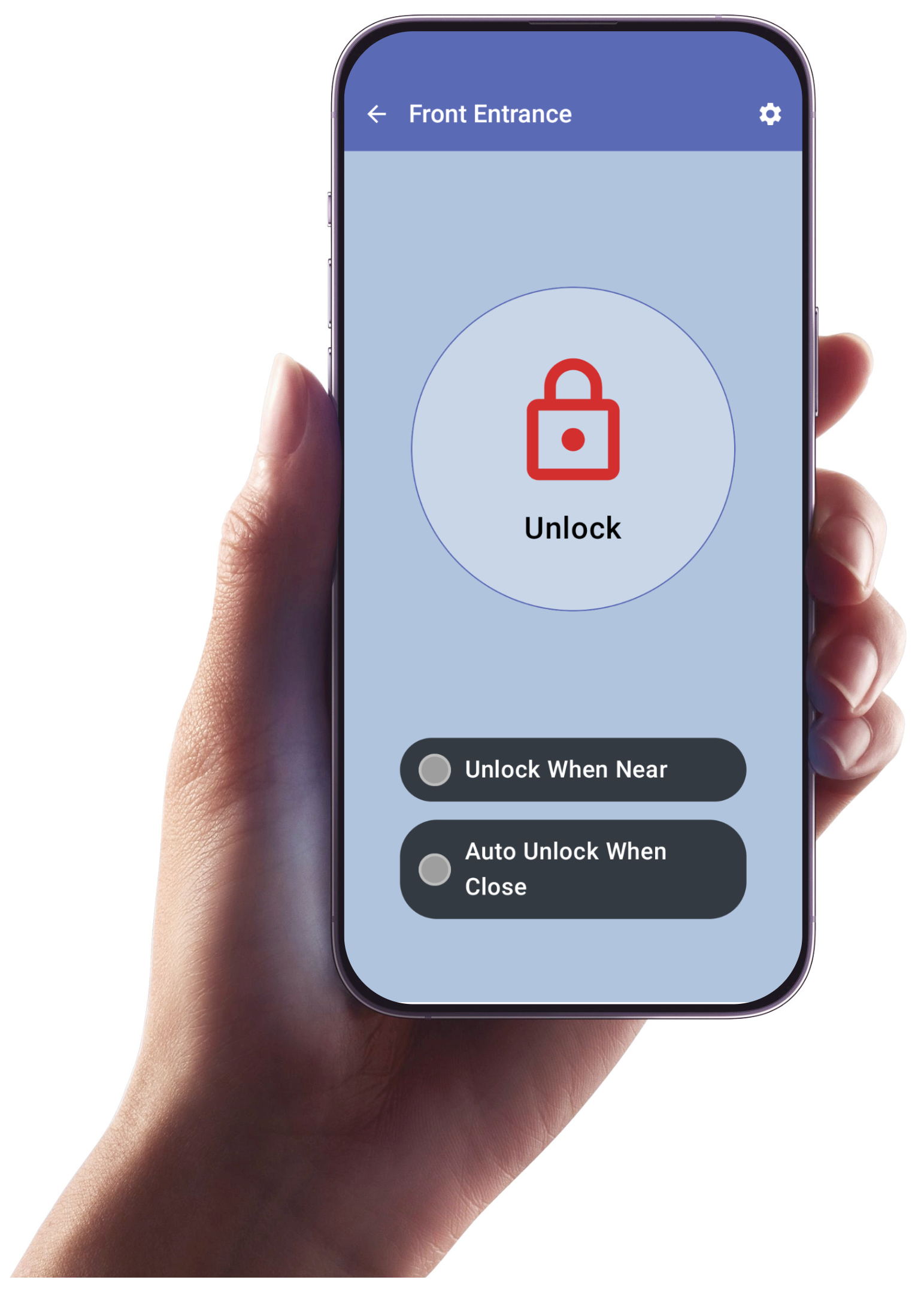
The "iLock for Continental" works in conjunction with the Continental Access CA4K software. The iLock app communicates to Architech series locks that contain Bluetooth LE technology. In addition, the iLock app communicates to a Bluetooth Reader Module, that wires in parallel with a standard weigand reader, making the reader bluetooth enabled. The iLock app provides the ability to enroll standard credentials, in addition to a maintenance (admin) credential. The maintenance (admin) credential provides the ability to change the default settings in the bluetooth reader module. Upon selecting an enrolled Door in the app, an Unlock icon will display to unlock the door. The iLock App also provides an "Unlock When Near" feature.


Download
Show Relevant FAQs

Return to NAPCO Corporate Site Contact About Us Website Issues / Comments Careers

2026 Copyright, Napco Security Technologies, Inc.

Return to NAPCO Corporate Site
Contact
About Us
Website Issues / Comments
Careers

2026 Copyright, Napco Security Technologies, Inc.

Media Manager

Item successfully added to your cart


Qty Item Description Price Total

View Cart
Checkout
Website design by Cyber-NY. Built on Logic CMX.
Opens in a new window Opens an external website Opens an external website in a new window